At a Glance
Best For
Overview
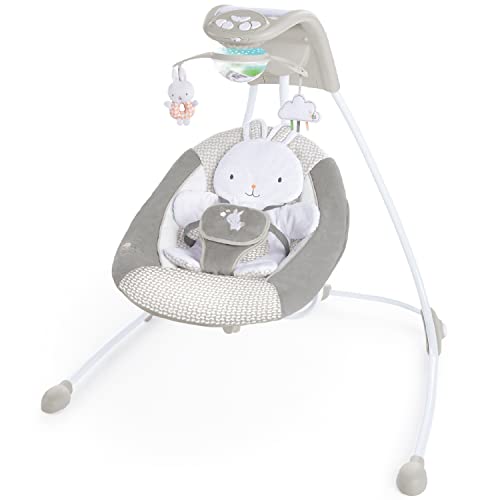
The Ingenuity InLighten 6-Speed Foldable Baby Swing is the most feature-dense product in the mid-range tier, and BabyGearLab's overall favorite swing in head-to-head testing. At $149, it sits right at the intersection of price and capability where most well-researched parents end up shopping. The InLighten's defining trick is the swivel seat, which lets you change swing direction between front-to-back and side-to-side without removing baby from the swing — a feature no other product in this price range offers and that addresses one of the most common parent complaints in the category (baby likes one direction today and a different direction tomorrow).
Layered on top of the swivel are 6 swing speeds, 16 melodies, 3 nature sounds, dedicated white noise, a light-up overhead mobile with motion, and dual power (plug-in or D batteries). The mobile alone outclasses anything else in the price range — it actively projects light patterns and rotates with attached toys, which is meaningful for the 3–6 month phase when babies start tracking visual stimuli with their eyes. For parents who want maximum entertainment and feature variety in a single product, the InLighten delivers more than the Munchkin Bluetooth, the Cassia, or the Momcozy CocoSway can.
The trade-offs are real and worth understanding before you commit. The InLighten has the hardest assembly of any major swing tested (about 30 minutes vs ~10 for the Munchkin or CocoSway), an older and larger footprint than the more modern compact swings, reports of seat-tilt issues on some production batches, and speakers that some parents describe as uncomfortably loud even at the lowest setting. It's also a battery-eater if you go that route. This review walks through who the InLighten is genuinely the right swing for, who should look elsewhere, and how to set yours up to avoid the most common pitfalls.
Pros & Cons
Pros
- Most entertainment-rich swing in the mid-range — light-up overhead mobile, 16 melodies, 3 nature sounds, and white noise
- Swivel seat lets you change swing direction between front-to-back and side-to-side without removing baby
- BabyGearLab named this their overall favorite swing in head-to-head testing
- Dual power — runs on plug-in or D batteries when you need it
- Folds for storage when not in use
Cons
- Hardest assembly of major swings tested — about 30 minutes vs ~10 for competitors
- Some Amazon reviews report seat tilting to one side (especially older 'Emerson' colorway)
- Speakers are reportedly very loud even at lowest setting
- Older, larger footprint vs more modern compact swings
- Auto-shutoff after a set time can interrupt naps
Ingenuity InLighten 6-Speed Foldable Baby Swing
Prices may change · Free shipping with Prime
The Swivel Seat: Why This Feature Matters
The InLighten's swivel seat is the feature that separates it from every other swing in its price range. Most swings have a fixed swing direction — either front-to-back (like classic Fisher-Price cradle swings) or side-to-side (like the Munchkin and Cassia) — and you cannot change that direction once baby is in the swing. If your baby decided yesterday they like front-to-back and today they want side-to-side, you either pick them up and physically rotate the entire base of the swing (annoying with a sleeping baby) or accept that they're going to be unhappy.
The InLighten lets you swivel the seat 90° in either direction with a single rotation control, instantly changing swing direction without touching baby. The mechanism is intuitive — there's a clearly labeled rotation point near the seat hinge, and the rotation locks into the front-to-back or side-to-side position with a positive click. This is the kind of feature that doesn't sell itself in marketing copy but compounds into real quality-of-life improvements over six months of use.
In practice, parents report two distinct use patterns. Some keep the InLighten on side-to-side as the default and swivel to front-to-back only during difficult fussy episodes. Others alternate by time of day — front-to-back in the morning when baby is more alert and engaged, side-to-side for afternoon naps when gentle drowsy soothing is the goal. Both approaches work, and both are unique to the InLighten in its price range.
The rotation mechanism is durable in long-term reviews — we don't see consistent reports of it loosening, breaking, or failing over time. The lock points are clearly defined, so there's no ambiguity about whether you're in the right position. And critically, the swivel can be operated single-handed while you hold a coffee or a remote in the other hand — a small but meaningful detail for sleep-deprived parents.
Entertainment Features: The Light-Up Mobile and Sound Library
The InLighten earns its name from the light-up overhead mobile, which is the most ambitious entertainment feature in any swing under $300. The mobile rotates above the seat with attached toys (3 plush characters depending on theme — Twinkle Tails Bunny, Cuddle Lamb, etc.), and can be set to project gentle light patterns and gentle motion in sync with music. For the 3–6 month developmental window when babies start tracking visual stimuli, this is genuinely useful — the mobile gives baby something to look at, follow with their eyes, and gradually start reaching for as their motor skills develop.
The sound library is the deepest in any mid-range swing: 16 melodies (a mix of classical, lullabies, and nature-inspired tunes), 3 nature sounds (forest, ocean, rain), and dedicated white noise. The melodies cycle through automatically or can be set to a single chosen track. Volume is parent-tunable, though as we'll discuss, the lowest volume setting is louder than parents typically want — this is the InLighten's biggest sound-related complaint.
The mobile and sound features are toggleable independently of each other and independently of the swing motion, so you have flexibility to use any combination. Mobile-on, sound-off, swing-on for visual-only soothing. Sound-on, mobile-off, swing-on for audio-only soothing. Mobile-on, sound-on, swing-off as a stationary entertainer (useful when baby is full and just wants to be visually engaged but not rocked).
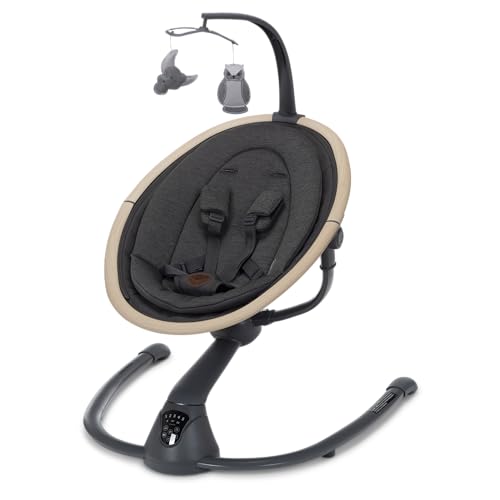
The combined entertainment offering is genuinely above category norm. The Munchkin has Bluetooth audio but no visual mobile. The Cassia has a flimsy mobile and limited sounds. The CocoSway has 8 lullabies and no mobile. If 'maximum entertainment per dollar' is your buying criterion, the InLighten wins by a meaningful margin.
Assembly Realities and Common Issues
We have to be honest: the InLighten has the hardest assembly of any major swing on the market. Plan for 30 minutes minimum, more if it's your first swing assembly experience. The instruction manual is dense, parts are not always clearly labeled, and several connection points require firm pressure that first-time assemblers worry might break the plastic. Take your time, follow the order in the manual, and don't skip the verification steps.
A related issue: some Amazon reviewers report that the wall plug adapter is not in the box, particularly on configurations sold through third-party Amazon sellers. The product description on different colorways/themes is inconsistent about whether the adapter ships in box. Verify before purchase, and if the adapter is missing, source a USB-cube wall adapter (the InLighten can be powered via USB) or contact Ingenuity for a replacement adapter under warranty.
The most consistently reported quality issue is seat-tilt. Some units arrive with the seat leaning slightly to one side, particularly the older 'Emerson' colorway. This tends to be present out of the box and doesn't develop over time. When you receive your InLighten, after assembly, place it on a hard flat floor (not carpet) and verify the seat is level using a phone bubble-level app on the seat surface. If it's more than ~3° off, contact Ingenuity or initiate an Amazon return immediately. The seat-tilt issue appears to be improved on more recent production batches but is worth checking on any unit.
The speakers are often called out as too loud at lowest setting. There is no way to mute or further reduce volume below the lowest preset, so if you're sensitive to volume or have a baby who startles easily at sound, you'll need to either rely on the mobile-only mode or use a separate sound machine instead of the swing's built-in audio. This is a quality-of-life issue rather than a defect, but parents should know about it before purchase.
Who Should Buy This
Buy the Ingenuity InLighten if you want the most feature-dense swing in the mid-range, if the swivel seat (front-to-back or side-to-side rotation without removing baby) is genuinely useful for your baby's preferences, if you want maximum entertainment value (the light-up mobile and 19+ sound options), if dual power (plug-in or battery) matters to you for placement flexibility, or if you trust BabyGearLab's testing methodology and they've named this their overall favorite swing.
Do not buy the InLighten if you live in a small apartment and need a compact footprint — this is a larger, older-design swing with no breakdown or fold-flat option. Don't buy if you're sensitive to assembly complexity — the 30-minute assembly is genuinely harder than competitors. Don't buy if you specifically want app or voice control — the InLighten is purposefully analog. Don't buy if the speakers being too loud is a dealbreaker for your particular baby (some are sensitive, most aren't).
The InLighten is the right pick for parents who want maximum capability in a traditional-design swing and don't mind the larger footprint or harder assembly. If you have the floor space, the patience to set it up correctly, and the willingness to do a level-check on receipt, the InLighten gives you more swing for your $149 than anything else in the price range. If those constraints are a problem, the Munchkin Bluetooth ($170) or Momcozy CocoSway ($145) are easier to live with day-to-day.
Our Verdict
The most entertainment-packed swing in the mid-range, and the only one that lets you switch swing direction without disturbing baby. Win the BabyGearLab test for a reason — but be prepared for a 30-minute assembly and a bigger footprint than a Munchkin or Cassia.
Ingenuity InLighten 6-Speed Foldable Baby Swing
$150
Prices may change · Free shipping with Prime
| Full Specifications | |
|---|---|
| Motion Type | Front-to-back or Side-to-side (Swivel) |
| Weight Limit | 20lbs |
| Motion Patterns | 2 |
| Speed Settings | 6 |
| Power Source | Plug-in + Battery |
| Bluetooth Audio | No |
| App Control | No |
| Voice Control | No |
| Rotating Seat | Yes |
| Recline Positions | 2 |
| JPMA Certified | No |
| Foldable | Yes |
| Dimensions | 33" x 30" x 36" |
| Product Weight | 14lbs |
Frequently Asked Questions
Does the Ingenuity InLighten work as both a front-to-back and side-to-side swing?
Why does the Ingenuity InLighten get good reviews despite the hard assembly?
Is the seat-tilt issue on the Ingenuity InLighten still a problem in 2026?
How does the Ingenuity InLighten compare to the Graco Glider and similar full-size swings?
Related Buying Guides
Compare With Similar Baby Swings
Munchkin
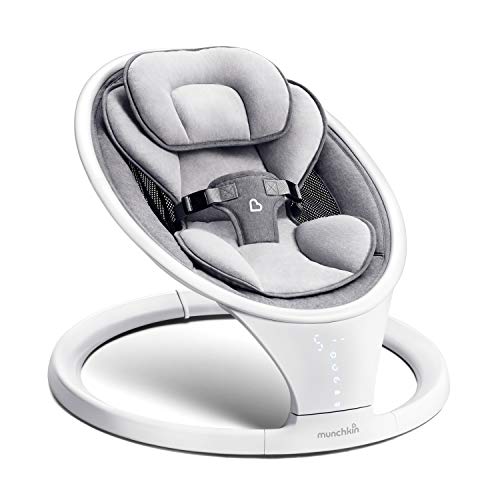
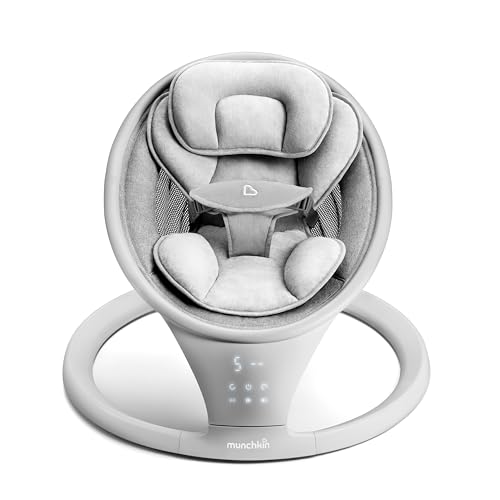
Electric Baby Swing with Vibration
Side-to-side + Vibration · 20 lbs · 1
$185
Head-to-Head Comparisons
Ingenuity InLighten 6-Speed Foldable Baby Swing
$150
Prices may change · Free shipping with Prime